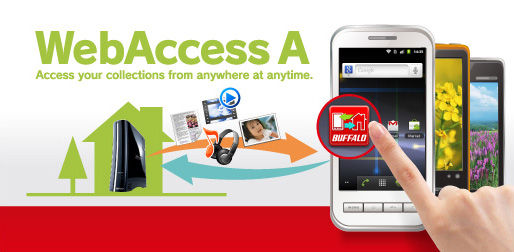
[Software description]
This software is Android device's WebAccess application for LinkStation/TeraStation.
LinkStation (Firmware ver.1.26 or later): LS-CHL, LS-XHL, LS-VL, LS-WXL, LS-WVL, LS-WSXL, LS-QVL, LS-XL
TeraStation (Firmware ver.1.32 or later): TS-WXL, TS-XL, TS-RXL
TeraStation (Firmware ver.1.00 or later): TS-6VHL, TS-8VHL, TS-RVHL, TS-WVHL, TS-QVHL
[How to install this software]
Follow the instruction below.
[Install by downloading the application directly to a device](Recommended)
1. Navigate to [Applications] in [Settings] of the device. Enable [Unknown sources](*1).
2. From Android's web browser, go to http://www.buffalotech.com and select a region.
3. Click a link of apk file from Support page corresponding to your LinkStation/ TeraStation.
4. Follow displayed instruction to install the application.
5. WebAccess A icon is added to Menu of Android device. Tap it to start WebAccess A.
*1: Name of setting may be different depending on the device and device configuration.
[Install by saving the application to the SD card]
1. Navigate to [Applications] in [Settings] of the device. Enable [Unknown sources](*1).
2. Go to http://www.buffalotech.com and select a region.
3. Download the apk file from Support page corresponding to your LinkStation/ TeraStation.
4. Copy downloaded file to Android's SD card.
5. Open WebAccess A apk file using a file manager(*2) and install WebAccess A
6. WebAccess A icon is added to Menu of Android device. Tap it to start WebAccess A.
*2: Available at Android Market.
[Software Release Note]
* Ver. 1.12-0.26
[PictureGallery]
- Delete zoom icon.
- Improve performance of Show Image in Original Size.
- Improve timer count for slideshow.
[Music]
- Improve file name display that file name which is playing scrolls.
- Add Playback Mode(play all songs once,one song loop,all songs loop,and shuffle).
[NAS List]
- Display NAS registration wizard on the initial application launch.
- Add External DNS option for name resolution.
- Support a shared NAS to be added on NAS List.
[File Explorer]
- Add file extension filtering(photo/video/music).
[Others]
- Fix other bugs.
* Ver. 1.02-0.16
- Fixed an issue on Xperia arc/Xperia neo that photo upload fials when uploading photo
from [Take Picture] option.
* Ver. 1.01-0.15
- Fixed an issue using on Galaxy S (firmware version 2.2.1).
Users of Galaxy S (firmware version 2.2.1) may need to reconfigure Options, such as
Background Color and Slideshow Change Timing.
Options may set to an old setting or factory default after the update.
* Ver. 1.00-0.12
- New release.
|